IMAGE
In our last post we showed you how to create a sweet presentation and add voice to paint a full picture of what you know.
In this post, we add a layer, motion.


In our last post we showed you how to create a sweet presentation and add voice to paint a full picture of what you know.
In this post, we add a layer, motion.

1. Click the plus in the upper right.
2. Click the two little shapes, then choose a category.
3. Click shapes to add.

1. Click the paintbrush.
2. Click a shape.
3. Change the color.

1. Click on the slide with the shapes on it.
2. Click Transition.
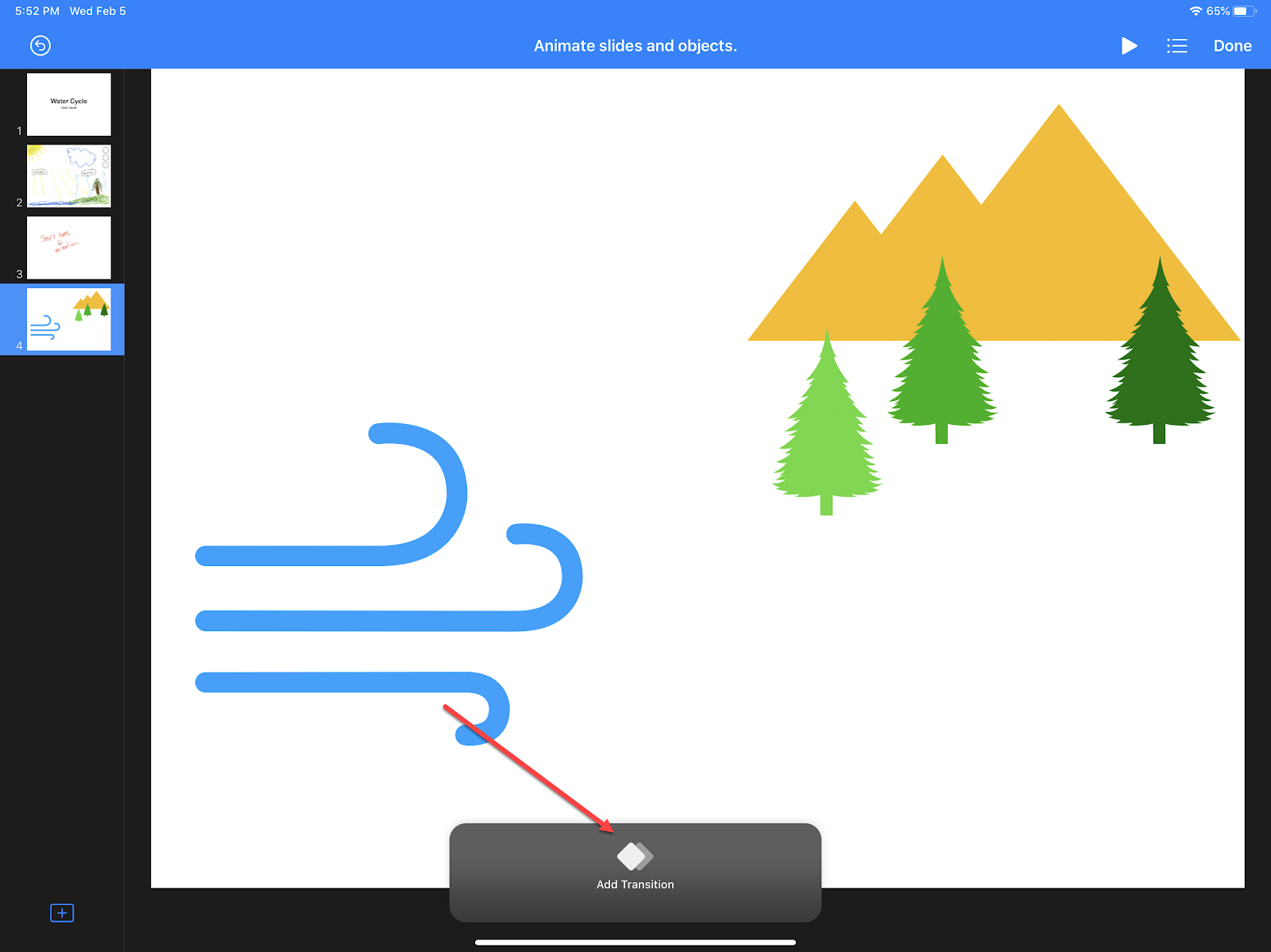
Click Add Transition.

Click Magic Move.

Click the X in the lower left.

Click Duplicate.

Move the shape.
Click Done in upper right.
Click play to see the magic!
My name is Mrs.Aisha Mohamed, am a Citizen Of Qatar.Have you been looking for a loan?Do you need an urgent personal loan or business loan?contact Dr James Eric Finance Home he help me with a loan of $42,000 some days ago after been scammed of $2,800 from a woman claiming to been a loan lender but i thank God today that i got my loan worth $42,000.Feel free to contact the company for a genuine financial service. Email:(financialserviceoffer876@gmail.com) call/whats-App Contact Number +918929509036
ReplyDelete